

A draft appearing quickly does not tell you how much work your team saved. Someone may still need to verify facts, correct the result and finish the handoff.
Use this method for a bounded trial of a repeated task. You will get a comparison your team can inspect, including failed attempts. It helps you decide what to test next; a small trial does not establish annual savings or revenue growth.
1. Define acceptance before timing
Name the task, its sources and the person who will use the result. Write the same acceptance checks for every option. If the result includes a system update, require the appropriate permission and a check of the result in the tool.
For an account brief, acceptance may mean correct account identity, current commitments with references, uncertainty marked and approval by the account lead. A brief missing a commitment fails even if it took less time.
Decide how you will handle failed or abandoned attempts. Record their effort and quality result; do not remove them because they make the comparison look worse.
2. Compare work of similar difficulty
Use matched cases with equivalent information and acceptance criteria. Compare normal cases with normal cases and exceptions with comparable exceptions. Record complexity and source freshness.
When you replay the same case, acknowledge that prior exposure may make the second attempt easier. You can vary order, use comparable independent cases or describe that limitation. Do not choose only the easiest examples for the proposed system.
Keep the current process as a baseline. Include a verified existing-tool option if it is a credible way to meet the task. AI should compete on the work your team needs completed.
3. Record employee effort and elapsed time separately
For each attempt, record person-minutes for preparation, production, review, rework and exception handling. The categories must not overlap. If two people each spend five minutes reviewing, that is ten person-minutes.
Record elapsed time separately if waiting affects the customer or employee waiting for the result. A task can require little employee effort while leaving someone waiting for hours. These measures answer different questions.
Note whether the result was accepted, corrected, rejected or abandoned. Also record source errors, missing facts and unsupported actions. A quality failure can outweigh a time difference.
Follow the whole task

- Define the accepted result, approved sources and the person who will use it.
- Record preparation, production and review. Count each person-minute in one category.
- Permitted corrections return to review. Resolved exceptions return to the needed work and review; unresolved or stopped attempts are rejected or abandoned.
- Record every attempt, including rejected and abandoned work. Only accepted results enter the accepted-result count.
- Divide all attempt effort by accepted results. Add upkeep once in the wider comparison and show setup separately.
If the result includes a system update, require the appropriate permission and a check of the result in the tool.
The receiving owner checks the result. Permitted corrections return to review. A resolved exception returns to the work needed and then review; an unresolved or stopped attempt is recorded as rejected or abandoned. The return to preparation is schematic: it does not require repeating every stage or authorize an action.
Solid arrows show the work and outcome branches; dashed arrows show a return to needed work or review. Accepted and unsuccessful attempts both contribute to the effort record. Count preparation, production, review, rework and exception handling without overlapping categories. Record elapsed time separately.
Effort per accepted result = total effort across all attempts divided by accepted results. When no result is accepted, this calculation has no defined value. Add upkeep once and show setup separately, as the following article section explains. This diagram illustrates the method; it supplies no measured result.
Worked example: comparing account briefs
A team compares three matched account-brief cases. The account lead receives and reviews each brief; the sources and acceptance checks are the same. The numbers below are invented person-minutes, not observed results.
| Case | Current process: prep + production + review + rework + exceptions | AI-assisted: same categories | Accepted after permitted corrections? |
|---|---|---|---|
| Normal | 2 + 10 + 3 + 0 + 0 = 15 | 3 + 2 + 5 + 1 + 0 = 11 | Both yes |
| Missing source | 3 + 10 + 4 + 2 + 3 = 22 | 4 + 2 + 6 + 4 + 5 = 21 | Both yes; missing information resolved |
| Unclear commitment | 3 + 9 + 4 + 2 + 2 = 20 | 3 + 2 + 6 + 5 + 4 = 20 | Current yes; AI no |
The current process uses 57 person-minutes for three accepted results. The proposed option uses 52 person-minutes across all attempts but produces only two accepted results. Dividing total effort by accepted results gives 19 and 26 minutes respectively.
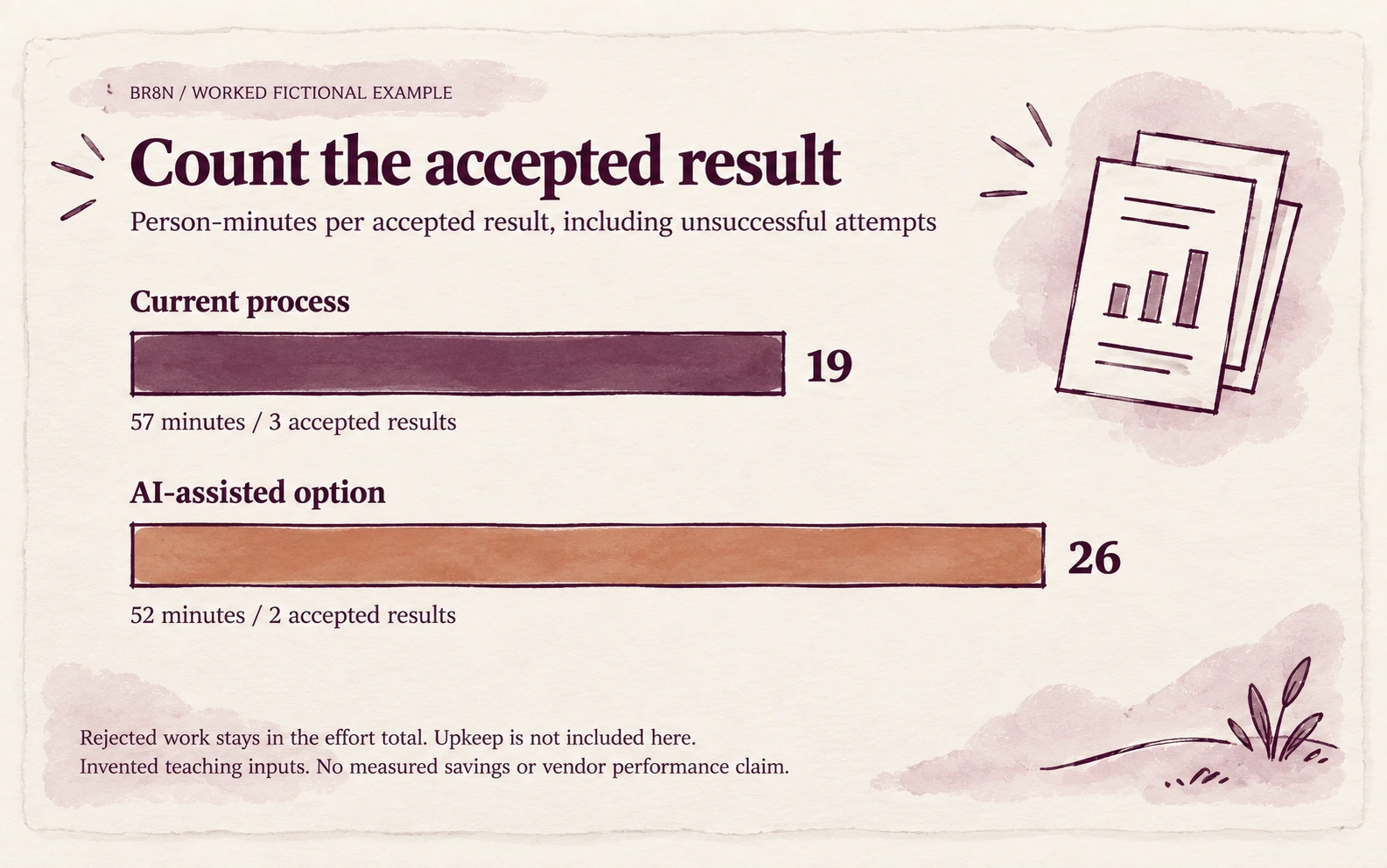
| Option | Total person-minutes | Accepted results | Minutes per accepted result |
|---|---|---|---|
| Current work | 57 | 3 | 19 |
| AI-assisted work | 52 | 2 | 26 |
This fictional example cannot support a claim of time saved. It exposes a quality problem and the cost of unsuccessful work. The next test should address the unclear commitment, then repeat representative cases. Three invented tasks establish no real performance finding.
4. Add upkeep and show setup separately
Record actual maintenance time during the trial and state how you allocate it across tasks. Apply the same rule to all options. Add it once, rather than including the same minutes in both task effort and upkeep.
Keep one-time setup visible as its own total. If you later spread it over a planning period, state the period and task volume. Do not bury training or engineering in a denominator that makes it disappear.
5. Ask where the capacity goes
If quality holds and effort falls, identify what the team will do with the released capacity. Customer follow-through, reduced backlog and time for difficult cases are possible uses. They remain intended benefits until observed.
Look at the range of cases as well as the average. A workflow that works in normal cases but creates difficult recoveries needs that tradeoff made explicit.
When to withhold a conclusion
Hold a savings claim when acceptance differs, samples are unrepresentative, time categories overlap or failed work is missing. Include the relevant specialist in judging consequential decisions.
Your next action: choose one acceptance check and record review time on the next representative tasks. Keep failure visible.
The blank Matched-task measurement sheet is available by email, without a Field Notes subscription. You can use the method without subscribing. Your completed measurements stay in your own files.
For setup and ongoing responsibilities, use the cost inventory guide.
For help designing a useful trial, book the diagnostic call. You can also contact BR8N.
Sources and further reading
The BR8N exercise and its numbers are fictional teaching material. These references provide wider evaluation and comparison context; they are not evidence of results.
- NIST AI RMF Playbook — choosing methods and metrics (Measure 1.1)
A broader framework for choosing evaluation measures and stating what acceptable performance means.
- NIST/SEMATECH e-Handbook — randomized block designs
Background on controlling sources of variation. The guide is a practical comparison exercise, not a full experimental design.